

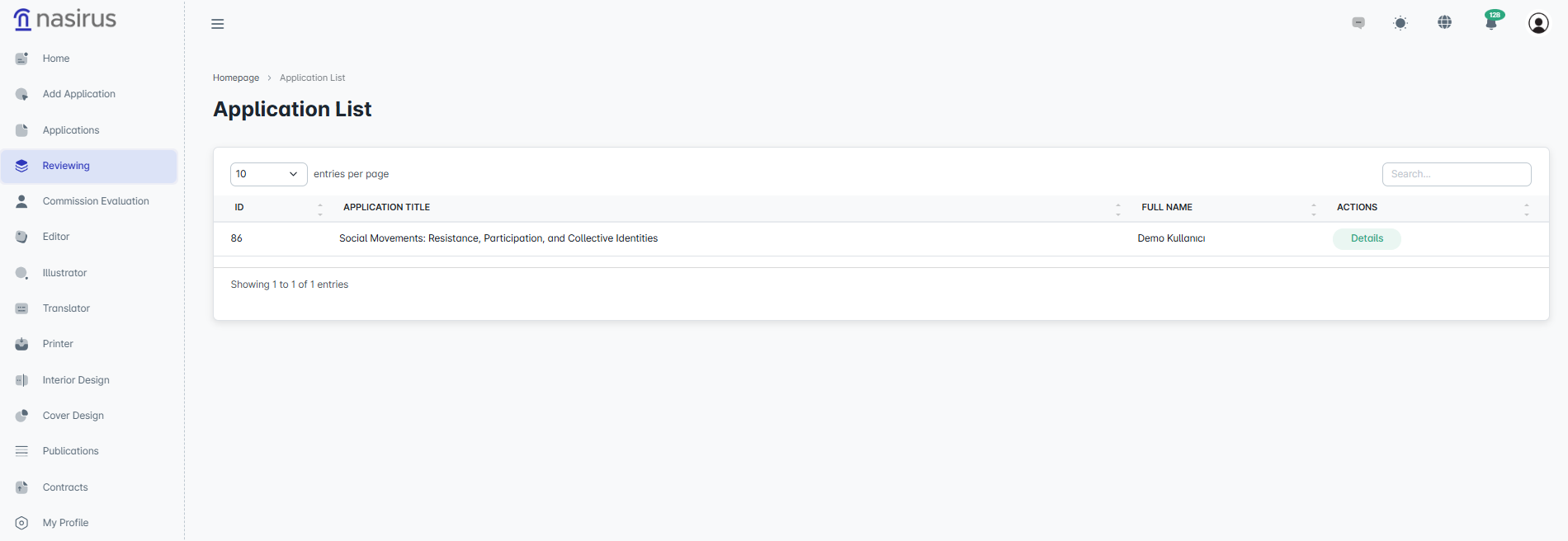
This section lists the applications assigned to the reviewer. The table structure includes basic information such as ID, application title, and the applicant's first and last name. By clicking the “Details” button, the reviewer is redirected to the detailed page of the respective application. This setup ensures that reviewers can only view and evaluate the applications assigned to them.
On the detail screen, there are two main areas that the reviewer needs to focus on. On the left side, there are action buttons related to the application: “Correction,” “Reject,” and “Approve.” The reviewer can reject the application or request corrections if they find the content unsuitable, or approve it if deemed appropriate. These decisions are logged in the system to ensure process transparency.
In the lower section, there is the “Application Status” area. This displays the stages the application has gone through along with timestamps. For example, statuses such as “Awaiting Review,” “Approved,” “User Correction,” or “Assigned to Committee” can be tracked in a timeline format.
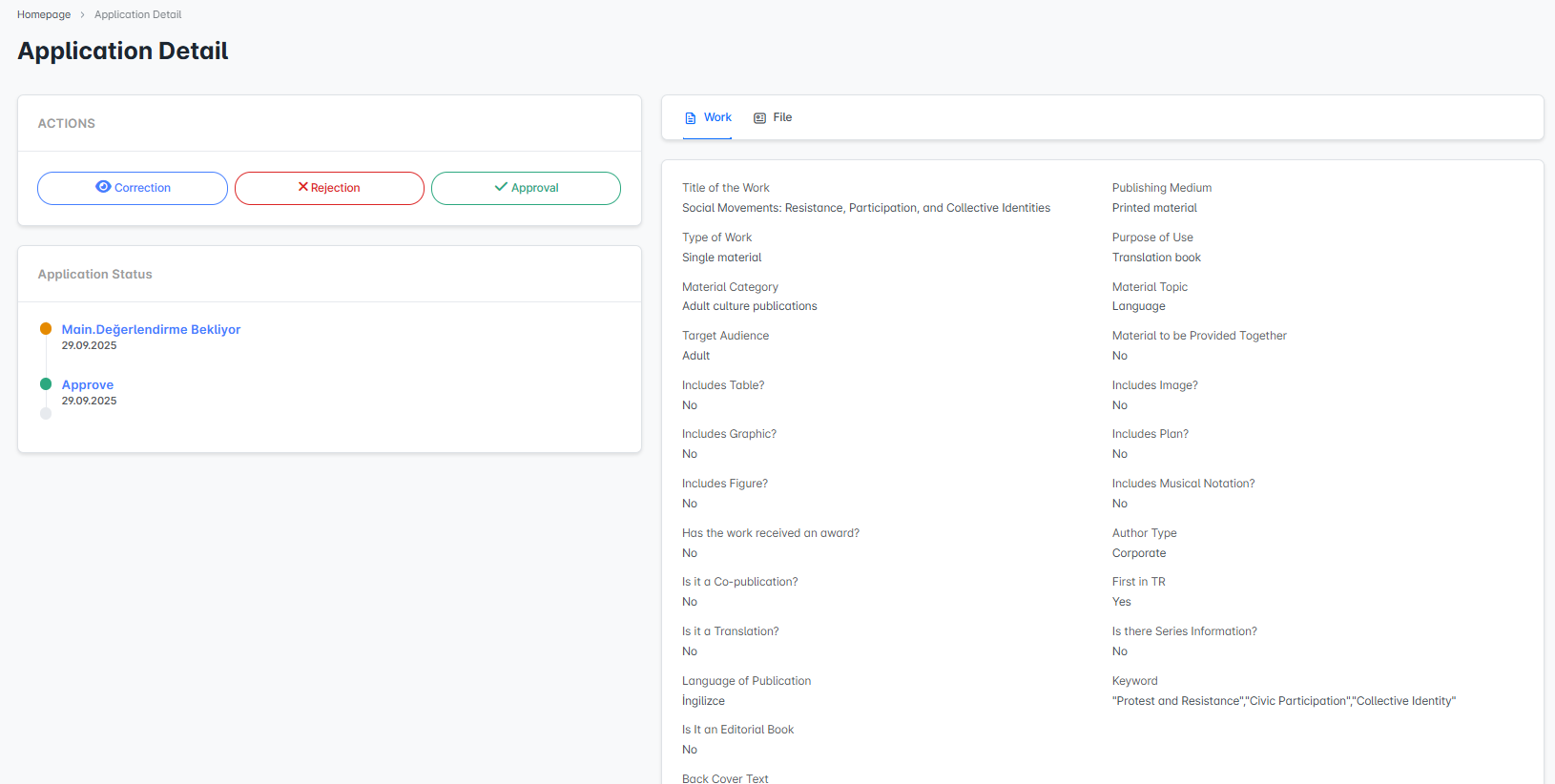
On the right side, all detailed information about the application is listed. Criteria such as the work’s title, type, material category, target audience, included elements like tables/graphs/figures, any award information, co-publication status, and translation details are clearly presented. The reviewer examines this information to make their decision. Under the “Files” tab, the uploaded application files related to the work are also available, allowing the reviewer to access the application files for a more thorough evaluation.